
1. Decide what needs testing
Record requirements and clarify the test objective. Link requirements to the relevant tests. This preserves the reason for each test and the business area it covers.
2. Write understandable test cases
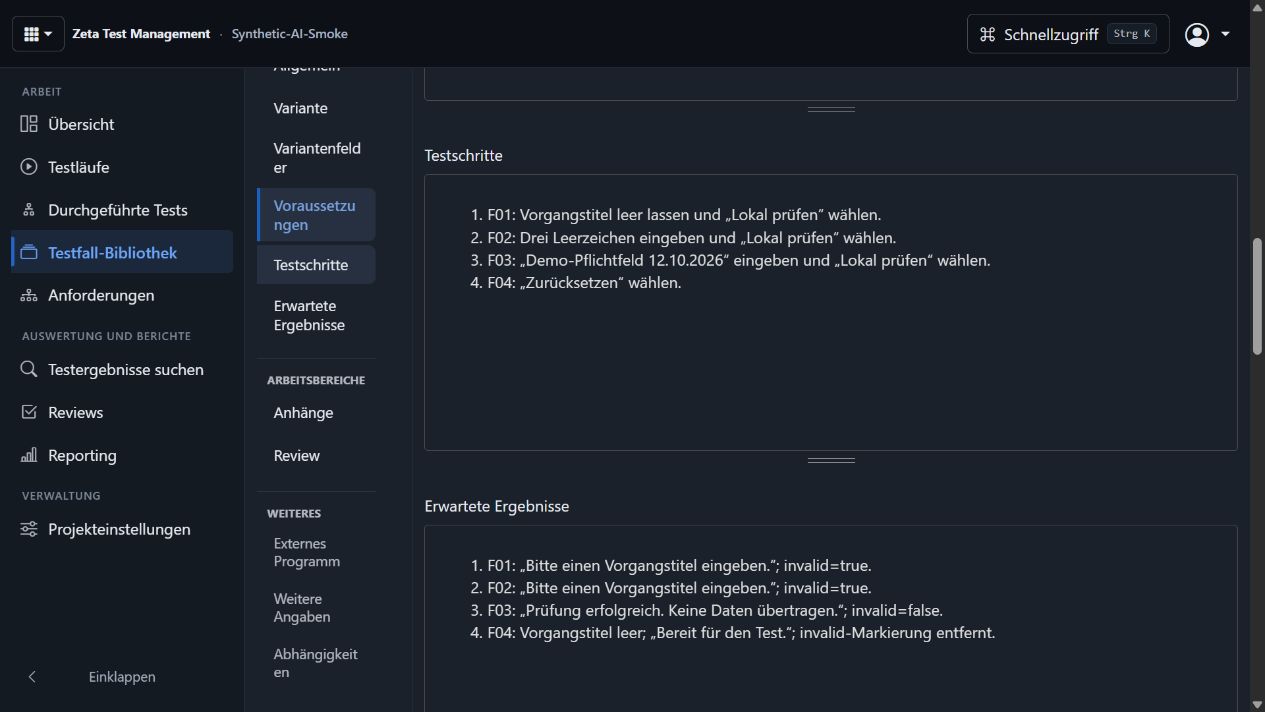
Maintain preconditions, steps and expected results in the test-case library. Describe the process so another team member can carry it out. Variants capture different cases; attachments provide additional context.
In the Formularprüfung (form validation) example, Pflichtfeld Vorgangstitel (required request title) covers four checks: an empty field, three spaces, a completed title and a reset. The instructions and expected results belong in the library. To practise, use your own form and project with fictional data. The screenshots and sample data below are German.
3. Plan the specific test
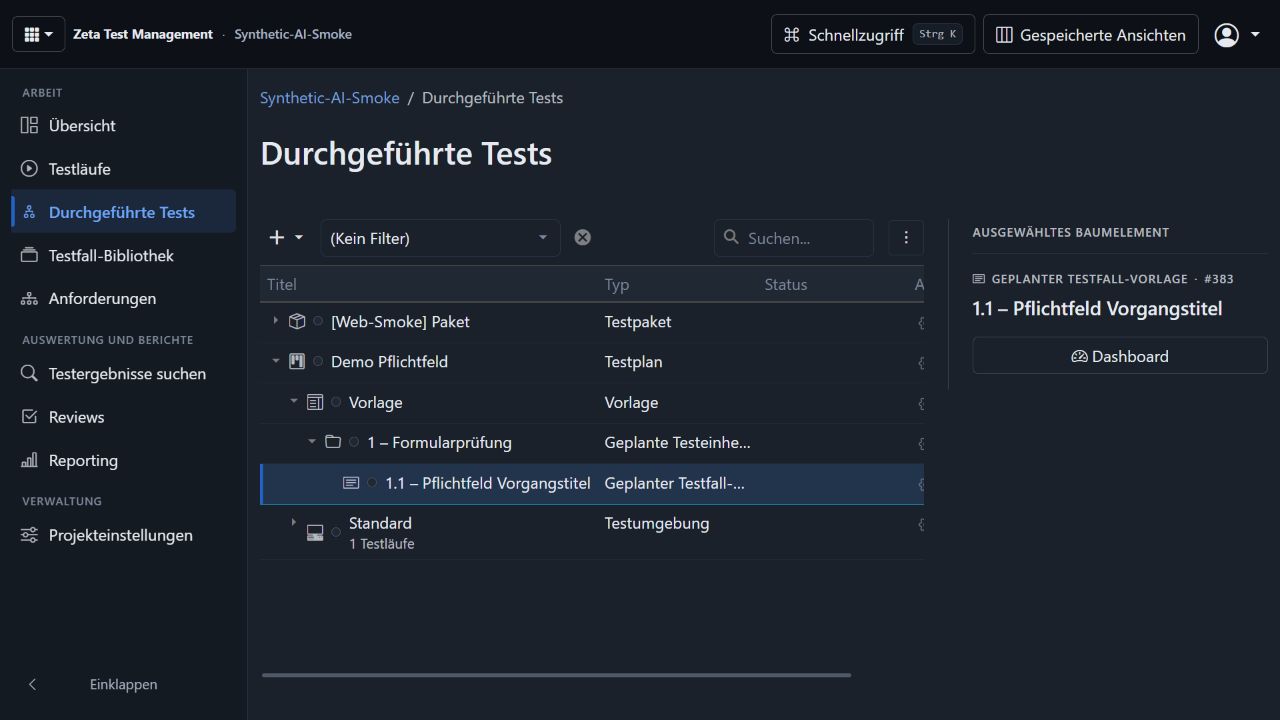
Assemble the appropriate cases for your release, change or acceptance test. Account for environments and responsibilities. Transfer changes from the library into the plan deliberately, keeping the planned scope traceable.
The Demo Pflichtfeld (required-field demo) plan selects the library case for this form validation.
4. Execute and record observations
Testers perform the planned checks and document the actual result. Statuses, comments and attachments record what happened. Configured bug-tracker integrations support subsequent handling of deviations.
In the required-field example, “Bitte einen Vorgangstitel eingeben.” (please enter a request title) is the expected response to an empty field. What matters is whether the observation matches the expectation set beforehand. Record the actual outcomes of the four steps in the run.
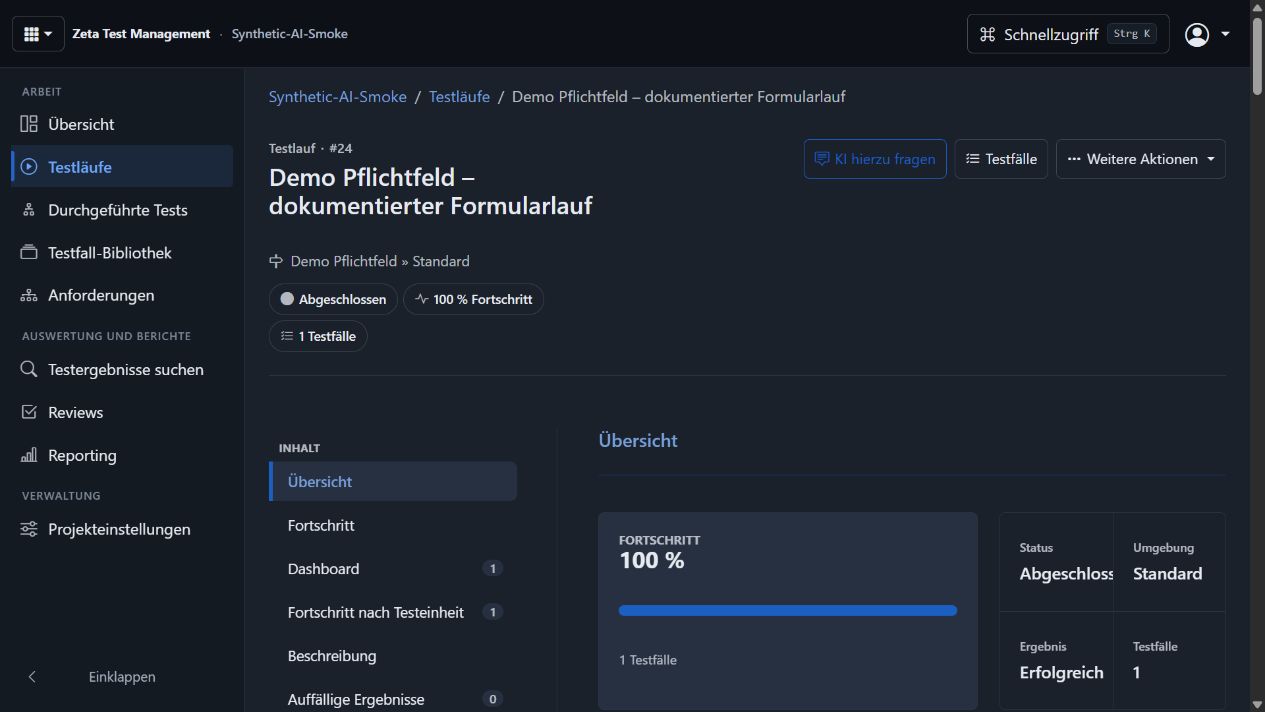
Follow the required-field example step by step.
A completed test run does not automatically mean all tests passed. The individual results and outstanding issues determine what still needs attention. If a test fails, see how to document the failure so a colleague can reproduce it.
5. Review and decide
Check progress, failed tests and unresolved results. Charts and reports support discussion of the project status. Reviews help assess content and decisions together. Your team decides whether to approve a release using its own acceptance criteria.
Build on the work for the next release
Reuse established test cases and adapt the plan to the changes. The business workflow works in Windows and the web client. Optional AI can help with preparation; review and approval remain with the responsible people.
Explore the functions · Web planning and reviews · Request a trial
Follow the steps in the manual · Look up testing terms in the glossary