
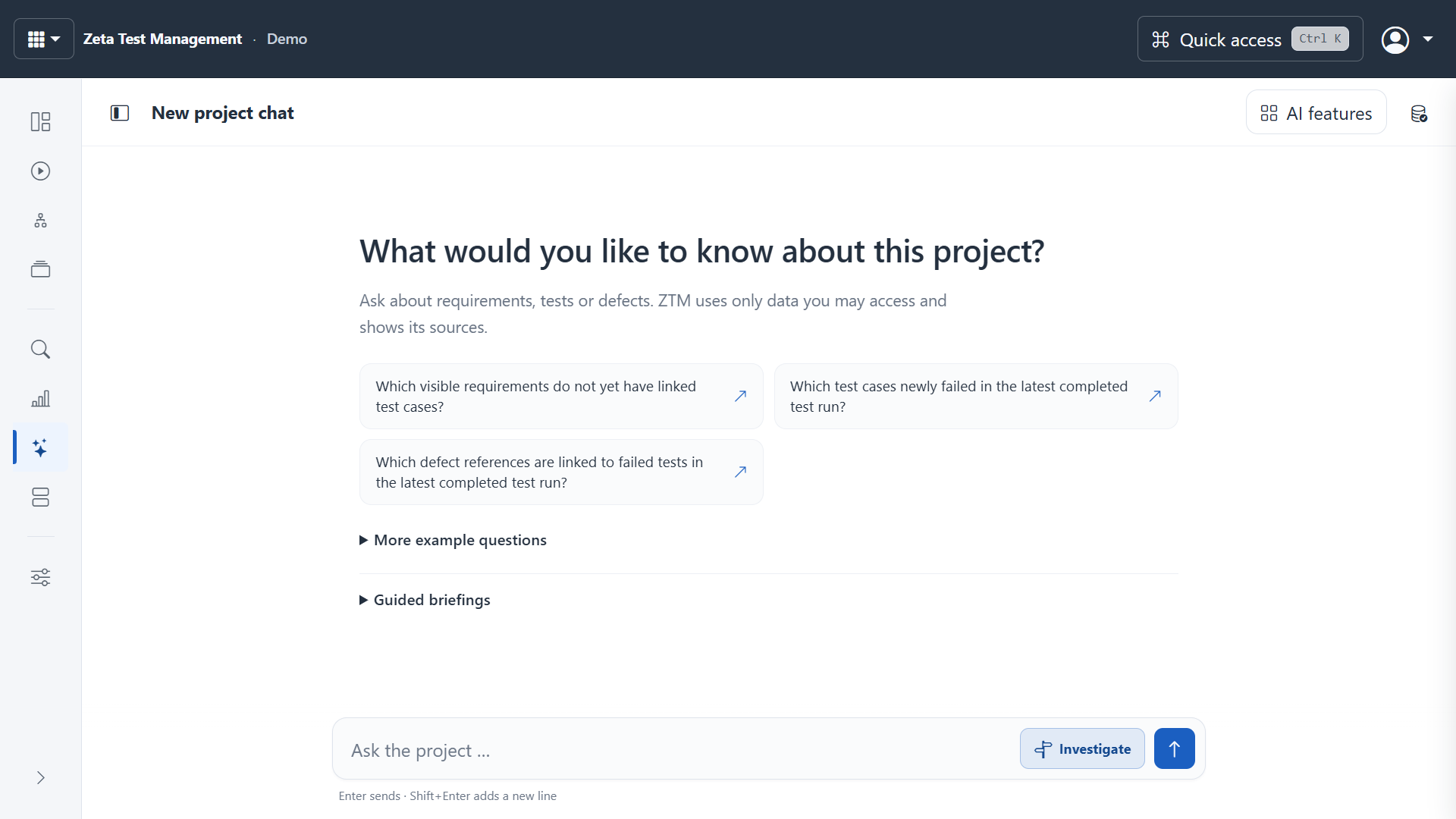
Ask questions about your project
Project chat helps you explore information within the approved project context. For example: Which failed tests belong to the selected release? Check answers against the available sources and results. An AI response is neither automatic acceptance nor proof of complete test coverage.
Less preparation, more informed review
Depending on the configured function, AI can help you:
- Review requirements for ambiguity and missing information.
- Make test cases clearer and more precise.
- Develop proposed test cases from selected requirements.
- Prepare objectives, scope, risks and environments for a test plan.
- Select relevant tests for a described change.
Suggestions can be reviewed and edited. Supported write actions are prepared and confirmed before being applied. This does not make every action in the interface available through chat.
Approve external use first
AI and external AI data transfer are disabled after installation. Administrators configure provider profiles, scenarios, limits and policies, then explicitly approve use. Project and object permissions also apply.
Your organisation must decide which information may be sent to an external provider. Providers may charge their own fees. Regular test management works independently of AI configuration.
Automation with restricted access
The MCP integration exposes approved read operations and supported write operations. Keys, project scope and permissions restrict access. It is not a general interface to the operating system or the entire administration area.
AI for users · Configure and govern AI · Explore the web client